Instagram export
How to download your Instagram followers and following data
Request only the connection data you need, export it to your device, and use the All time and JSON settings. Those choices are essential for a reliable comparison.
Published and last reviewed: August 10, 2026
Open Accounts Center
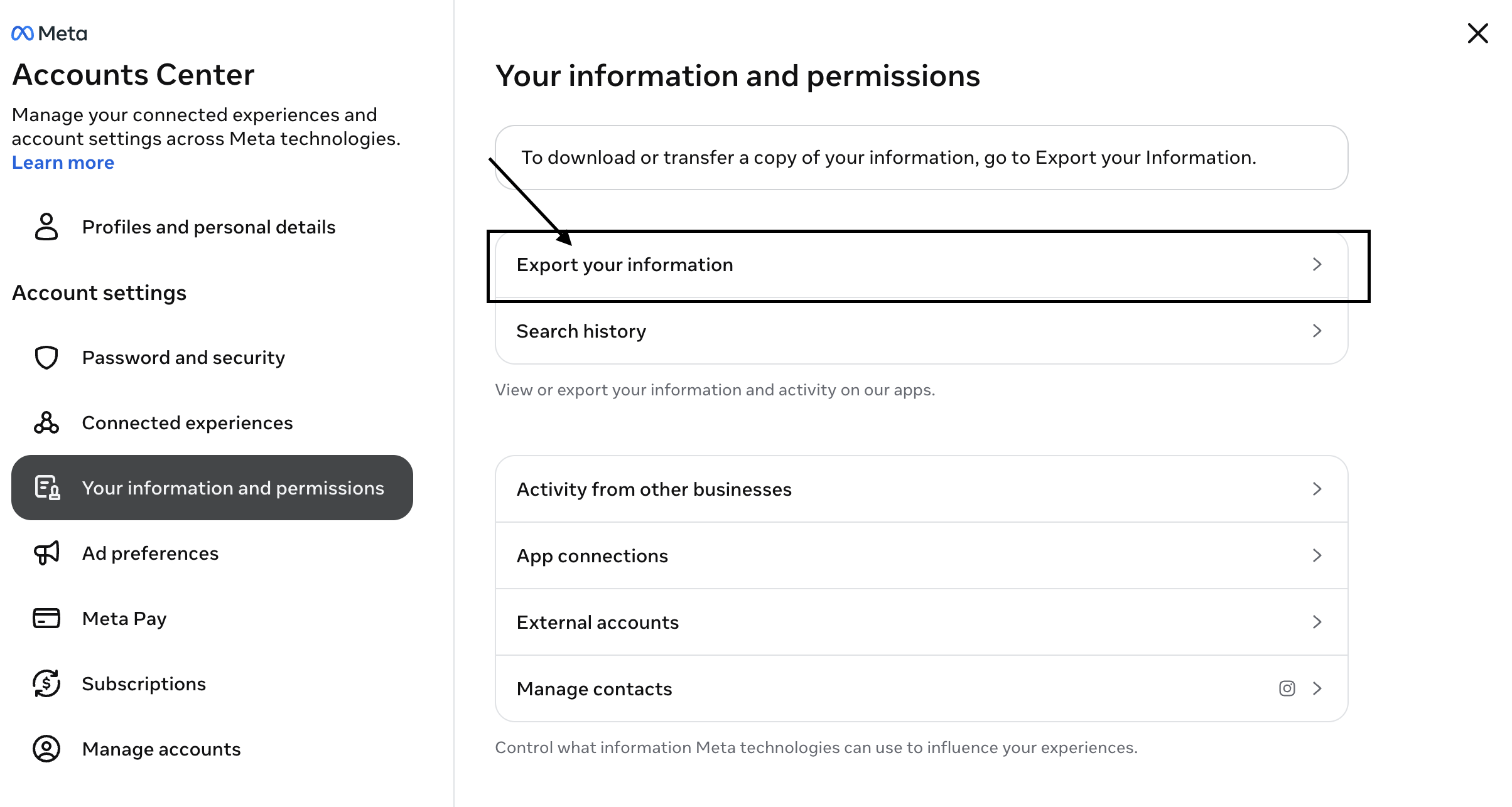
Go to Your information and permissions in Accounts Center. Sign in directly with Instagram or Meta—never through an unfollower tool.
Choose Export your information
Select Export your information, create a new export, choose the Instagram profile, and export to your device.
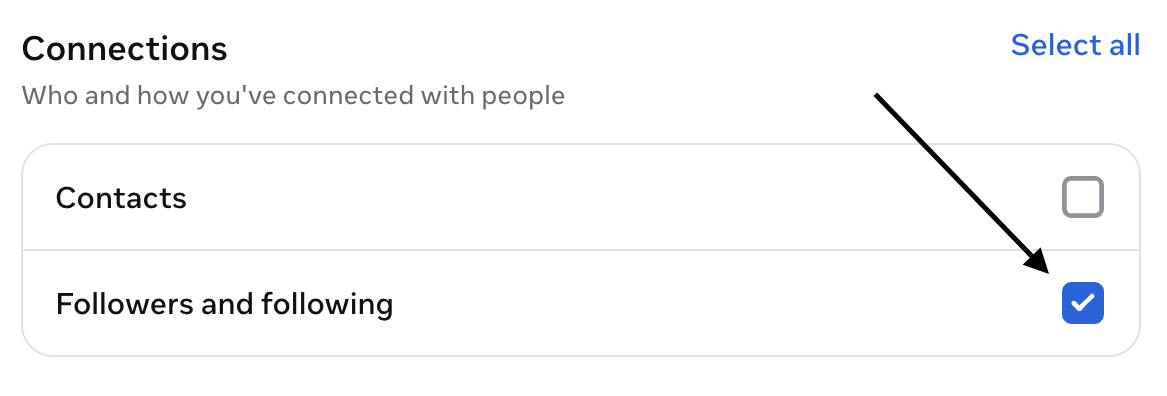
Customize the information
Clear the other categories. Under Connections, leave only Followers and following selected.
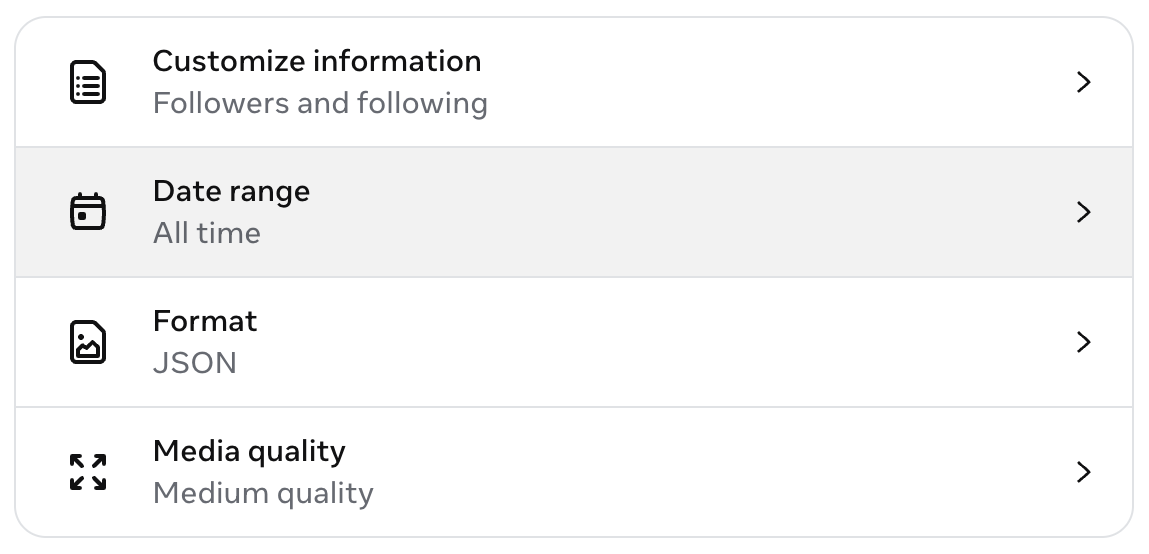
Choose the required settings
Set the date range to All time, format to JSON, and keep medium media quality. Media quality does not affect the username lists.
Start and download the export
Instagram will notify you when the archive is available. Download the original ZIP and keep it private.
What files should be inside?
The relevant folder normally contains following.json and one or more files named followers_1.json, followers_2.json, and so on. Larger accounts may have multiple numbered followers files. Include all of them.
Common mistakes
- Using a limited date range: the export may omit older relationships and produce misleading results.
- Choosing HTML: HTML is useful for browsing but is not the structured format accepted by FollowCheck.
- Selecting only one numbered file: every
followers_N.jsonfile is part of the list. - Uploading the archive to an unknown converter: an Instagram export can contain sensitive account information.
Use it only with software whose processing you understand. FollowCheck reads the required files locally in your browser and does not upload them.
Once the download is ready, continue with the password-free comparison guide.
Ready to compare the lists?
Upload the original ZIP directly to FollowCheck after unlocking one $2.99 audit.
Open FollowCheck